
District Five Letting & Project Information
Current Letting and Project Information
10. I know my digital signature (or the digital signature provided to me) is valid, but it is showing Invalid in Excel. What is wrong?
To test if this is the problem:
- Open a blank Excel workbook.
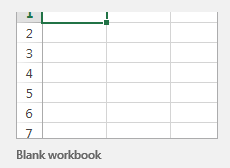
- Then, select Formulas > Calculation Options > Manual

- Leave this file open in the background and open the digitally signed file in question. The settings from the blank workbook should carry over to the digitally signed file and the digital signature should show valid if the Excel Update is the issue.
- A video demonstrating this process can be found on the Training Video Shorts page.
- If this doesn’t work, make sure you have the intermediate and root certificates for the digital signature in question installed on your computer. If you have questions, contact the SCO System Section.
2026 Award & Posting / Bid Tabulations
10. I know my digital signature (or the digital signature provided to me) is valid, but it is showing Invalid in Excel. What is wrong?
To test if this is the problem:
- Open a blank Excel workbook.
- Then, select Formulas > Calculation Options > Manual
- Leave this file open in the background and open the digitally signed file in question. The settings from the blank workbook should carry over to the digitally signed file and the digital signature should show valid if the Excel Update is the issue.
- A video demonstrating this process can be found on the Training Video Shorts page.
- If this doesn’t work, make sure you have the intermediate and root certificates for the digital signature in question installed on your computer. If you have questions, contact the SCO System Section.
2025 Lettings
10. I know my digital signature (or the digital signature provided to me) is valid, but it is showing Invalid in Excel. What is wrong?
To test if this is the problem:
- Open a blank Excel workbook.
- Then, select Formulas > Calculation Options > Manual
- Leave this file open in the background and open the digitally signed file in question. The settings from the blank workbook should carry over to the digitally signed file and the digital signature should show valid if the Excel Update is the issue.
- A video demonstrating this process can be found on the Training Video Shorts page.
- If this doesn’t work, make sure you have the intermediate and root certificates for the digital signature in question installed on your computer. If you have questions, contact the SCO System Section.
2025 Award & Posting / Bid Tabulations
10. I know my digital signature (or the digital signature provided to me) is valid, but it is showing Invalid in Excel. What is wrong?
To test if this is the problem:
- Open a blank Excel workbook.
- Then, select Formulas > Calculation Options > Manual
- Leave this file open in the background and open the digitally signed file in question. The settings from the blank workbook should carry over to the digitally signed file and the digital signature should show valid if the Excel Update is the issue.
- A video demonstrating this process can be found on the Training Video Shorts page.
- If this doesn’t work, make sure you have the intermediate and root certificates for the digital signature in question installed on your computer. If you have questions, contact the SCO System Section.
Other Letting Information
Letting and Posting Dates Schedule
Technical Review and Awards Committee Meeting Notices
Additional General Letting Documentation
Fixed Capital Outlay (FCO) Projects
Construction Manager / General Contractor Projects
Performance Bonds can be found in the appropriate Contract Document on the FACTS website: https://facts.fldfs.com/
Previous Lettings
2024 Letting Information: Letting, Project, Addenda, Award & Posting Information
2023 Letting Information: Letting, Project, Addenda, Award & Posting Information
2022 Letting Information: Letting, Project, Addenda, Award & Posting Information
2021 Letting Information: Letting, Project, Addenda, Award & Posting Information
2020 Letting Information: Letting, Project, Addenda, Award & Posting Information
2019 Letting Information: Letting, Project, Addenda, Award & Posting Information
2018 Letting Information: Letting, Project, Addenda, Award & Posting Information
Addenda & Amendments
Contractors will be notified of all Amendments and are required to download the Amendments from the CPP Online Ordering System per these instructions: Amendment Instructions (PDF)
Amendment files can be downloaded by clicking on the links. Amendments must be downloaded to the location of your original EBS file prior to preparing the bid.
If you do not have Acrobat Reader you can download it free at Get Acrobat Reader.
10. I know my digital signature (or the digital signature provided to me) is valid, but it is showing Invalid in Excel. What is wrong?
To test if this is the problem:
- Open a blank Excel workbook.
- Then, select Formulas > Calculation Options > Manual
- Leave this file open in the background and open the digitally signed file in question. The settings from the blank workbook should carry over to the digitally signed file and the digital signature should show valid if the Excel Update is the issue.
- A video demonstrating this process can be found on the Training Video Shorts page.
- If this doesn’t work, make sure you have the intermediate and root certificates for the digital signature in question installed on your computer. If you have questions, contact the SCO System Section.